mirror of
https://github.com/Gehstock/Mist_FPGA.git
synced 2026-01-13 15:17:55 +00:00

# Z1013-mist The robotron Z1013 port for the mist board. ## Overview This project emulates a robotron Z 1013 computer from 1984. The original Z 1013 was sold as a kit (without case and power supply). This Z1013.01 emulation use 2 MHz clock frequency and is equipped with 32 kByte RAM. ## Getting started with Z1013.01 Copy the core (rename core_z1013.rbf to core.rbf) on your SD card and start the mist device. ### Overview of OSD options | feature | values | --- | --- | Load *.Z80 | load .z80 files (headersave) from SD card | Decoration | Scanlines on/off and Mono/Color | Keyboard layout | de/en | Online help | on/off | Joystick mode | practic 1/88, ju+te 6/87, practic 4/87 or ERF-Soft | Autostart | enable/disable When the Z1013 is running, you can load .z80-files via the OSD direct into the memory. Name, type, load address, end address and start address of the loaded file is show on top of screen. When Autostart is enabled (default) then the program will be started automaticly. Otherwise ```J <start address>``` will also jump to the start address. The original keyboard layout is a littlebit strange, so expect unusal keys to control the games, e.g. <U> for moving up und <space> for moving down. The Z1013 core was developed and sucessfully tested with ARM firmware version ATH160123. ## Supported features Z1013.01: - 32 kByte RAM (0000h - 7FFFh) - 1 kByte video RAM (EC00h - EFFFh) - 2 kByte ROM (F000h - F7FFh), Riesa monitor 2.02 - keyboard mapping from PS/2 scancodes to 8x4 matrix - joystick on user port (PIO A) - frequency switching 2 MHz/ 4 MHz, port 04h, bit 6 - sound output PIO B7 or user port (PIO) MiST additions: - load z80 files (headersave format) from SD-card - display file information on status line - autostart z80-files - scanline support - online help for most monitor commands - switchable color scheme - right push button on mist for reset 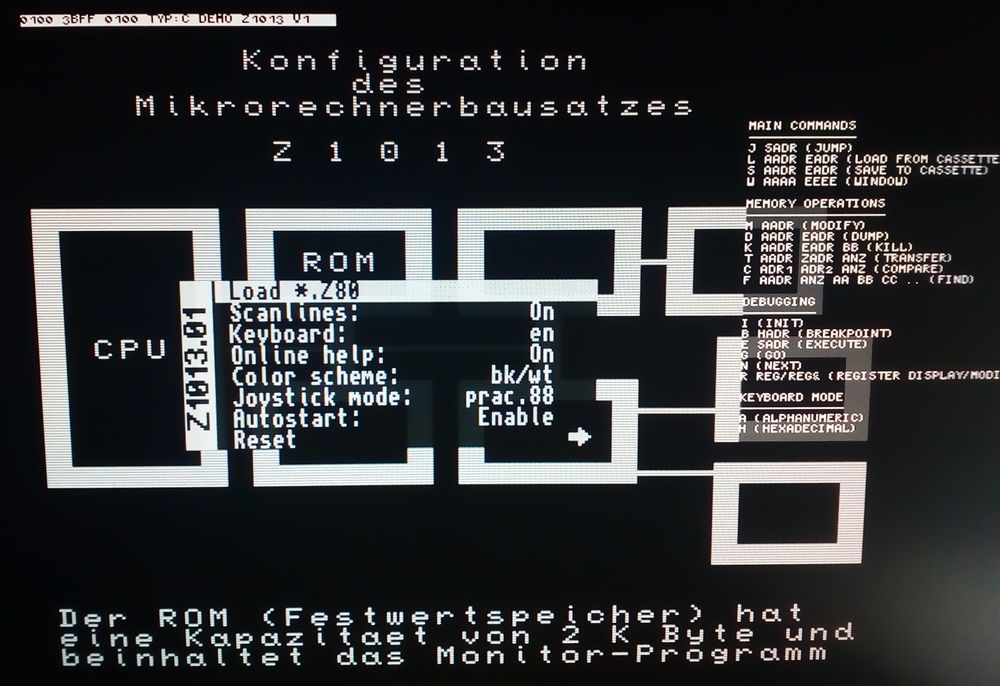 ## Project structure | Directory | remark | --- | --- | contrib | code used from other projects | cores | stuff generated with MegaWizard | library | helper source code | ROMs | monitor ROMs for Z1013 | rtl | source code | rtl_tb | testbench source code | simulation_modelsim | simulation scripts | synthesis_quartus | synthesis scripts | vhdl_files.txt | list of used files (for simulation and synthesis) to start a simulation change to directory *simulation_modelsim* and do ``` cd simulation_modelsim make make simulate ``` to generate *core_z1013.rbf* use directory *synthesis_quartus* and start ``` cd synthesis_quartus make all ``` to reprogram the FPGA (JTAG-Blaster required) just do ``` cd synthesis_quartus make program ``` ## Known problems - somtimes keyboard start in hexadecimal mode, result in wired inputs, solution: switch to alphanumeric mode with *A* ## Project history original project by FPGAkuechle published 2012/2013 at mikrocontroller.net: https://www.mikrocontroller.net/articles/Retrocomputing_auf_FPGA ported by abnomane to Altera, April 2013: http://abnoname.blogspot.de/2013/07/z1013-auf-fpga-portierung-fur-altera-de1.html adapted to mist platform by Boert, released December 2017: https://github.com/boert/Z1013-mist