mirror of
https://github.com/antonblanchard/microwatt.git
synced 2026-03-31 03:11:41 +00:00


Microwatt
A tiny Open POWER ISA softcore written in VHDL 2008. It aims to be simple and easy to understand.
Simulation using ghdl
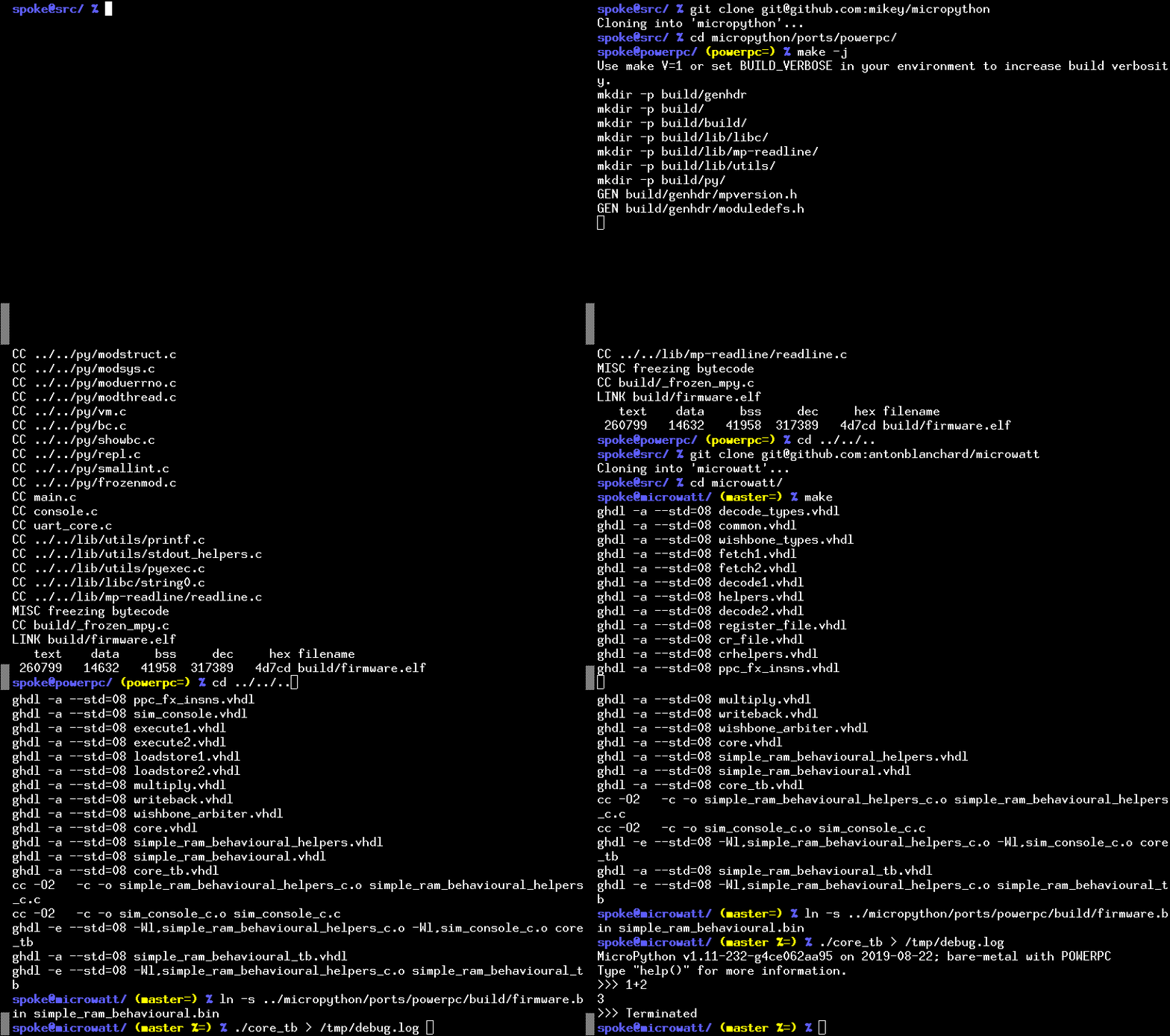
You can try out Microwatt/Micropython without hardware by using the ghdl simulator. If you want to build directly for a hardware target board, see below.
- Build micropython. If you aren't building on a ppc64le box you will need a cross compiler. If it isn't available on your distro grab the powerpc64le-power8 toolchain from https://toolchains.bootlin.com
git clone https://github.com/micropython/micropython.git
cd micropython
cd ports/powerpc
make -j$(nproc)
cd ../../../
- Microwatt uses ghdl for simulation. Either install this from your distro or build it. Next build microwatt:
git clone https://github.com/antonblanchard/microwatt
cd microwatt
make
- Link in the micropython image:
ln -s ../micropython/ports/powerpc/build/firmware.bin main_ram.bin
- Now run microwatt, sending debug output to /dev/null:
./core_tb > /dev/null
Synthesis on Xilinx FPGAs using Vivado
-
Install Vivado (I'm using the free 2019.1 webpack edition).
-
Setup Vivado paths:
source /opt/Xilinx/Vivado/2019.1/settings64.sh
- Install FuseSoC:
pip3 install --user -U fusesoc
Fedora users can get FuseSoC package via
sudo dnf copr enable sharkcz/danny
sudo dnf install fusesoc
- Create a working directory and point FuseSoC at microwatt:
mkdir microwatt-fusesoc
cd microwatt-fusesoc
fusesoc library add microwatt /path/to/microwatt/
- Build using FuseSoC. For hello world (Replace nexys_video with your FPGA board such as --target=arty_a7-100):
fusesoc run --target=nexys_video microwatt --memory_size=8192 --ram_init_file=/path/to/microwatt/fpga/hello_world.hex
You should then be able to see output via the serial port of the board (/dev/ttyUSB1, 115200 for example assuming standard clock speeds). There is a know bug where initial output may not be sent - try the reset (not programming button on your board if you don't see anything.
- To build micropython (currently requires 1MB of BRAM eg an Artix-7 A200):
fusesoc run --target=nexys_video microwatt
Testing
- A simple test suite containing random execution test cases and a couple of micropython test cases can be run with:
make -j$(nproc) check
Issues
This is functional, but very simple. We still have quite a lot to do:
- There are a few instructions still to be implemented
- Need to add caches and bypassing (in progress)
- Need to add supervisor state (in progress)