mirror of
https://github.com/jjshoots/RemoteIDSpoofer.git
synced 2026-02-05 16:16:18 +00:00

60 lines
3.4 KiB
Markdown
60 lines
3.4 KiB
Markdown
# RIDS - Remote ID Spoofer
|
|
|
|
An ESP8266/NodeMCU Drone RemoteID Spoofer.
|
|
Built based on work done by [sxjack](https://github.com/sxjack/uav_electronic_ids) and [SpacehuhnTech](https://github.com/SpacehuhnTech/esp8266_deauther).
|
|
I stand on the shoulders of giants.
|
|
|
|
This spawns 16 different fake drones broadcasting RemoteID, with them all flying in random directions around a particular GPS location.
|
|
|
|
Do check that whatever device you're using to detect the drones can sniff packets from the air fast enough.
|
|
If you're using OpenDroneID available on the App Store or Play Store, you'll have to disable scan throttling for your device, and run the app for ~5-10 minutes before all 16 drones are actually "in the air". You may also have to switch off Wi-Fi, disconnecting from your usual local network on your Android device, for the Wi-Fi chip to be able to scan.
|
|
|
|
<img src="./images/proof.jpg" width="600">
|
|
|
|
## Installation
|
|
|
|
1. You need the [Arduino IDE](https://www.arduino.cc/en/software).
|
|
2. Open the file `RemoteIDSpoofer/RemoteIDSpoofer.ino`.
|
|
3. Now go to `Tools` > `Boards` > `Boards Manager`, search `esp8266` (or `esp32` if you're using an ESP32) and install `ESP8266 Boards` (or `esp32` by either vendors).
|
|
4. Select your board at `Tools` > `Board` > `ESP8266 Boards` (or `esp32`). It's most likely the `Generic ESP8266 Module`.
|
|
5. Plug in your device, and select its COM port at `Tools` > `Port`.
|
|
6. Press `upload`, or use Ctrl+U.
|
|
7. The device should start broadcasting RemoteID packets generated for random flying machines.
|
|
|
|
## Usage
|
|
|
|
**Pro Tip**:
|
|
There is no need to do these steps everytime you use the device, once the parameters are set, they are remembered across power cycles.
|
|
Configuration is only needed when when parameter change is desired.
|
|
|
|
1. After the installation steps, connect to the wireless access point `ESP_RIDS` using the password `makkauhijau` on any device, a smartphone will work well enough.
|
|
2. Go to the website `192.168.4.1` on the connected device.
|
|
3. There, input your own GPS coordinates.
|
|
4. Start spoofing!
|
|
|
|
> If no GPS coordinates are used within 2 minutes of startup, the device will automatically go into spoofing mode and you will not be able to change the coordinates without a power cycle.
|
|
|
|
## To-Do List (In order of importance)
|
|
|
|
- [x] ESP32 support
|
|
- [x] Make it so drones don't wander away over time (something like `new_location = old_location + 0.5 * progress + 0.5 * (home - old_location)`)
|
|
- [x] Fix resulting motions
|
|
- [ ] Get time from browser (possibly with [this](https://www.w3schools.com/jsref/jsref_gettime.asp))
|
|
- [x] Configurable number of drones in the air
|
|
- [x] Save config onboard
|
|
- [ ] Use valid RIDs and have option to select region
|
|
- [ ] Automated CI (I have no idea how to do this)
|
|
- [ ] Get GPS from browser? (Requires SSL certs on frontend)
|
|
- [x] Make Frontend look nicer
|
|
|
|
## Disclaimer
|
|
|
|
This repository and its code are intended for educational purposes only.
|
|
Neither the ESP8266, nor its SDK were meant or built for such purposes.
|
|
Bugs can occur!
|
|
|
|
It is also illegal to be broadcasting fake RemoteID packets in public airspace, in the same way that spoofing ADS-B packets is illegal.
|
|
Whatever manner you wish to use this on is at your own discretion, we don't take any responsibility for what you do with this software.
|
|
|
|
[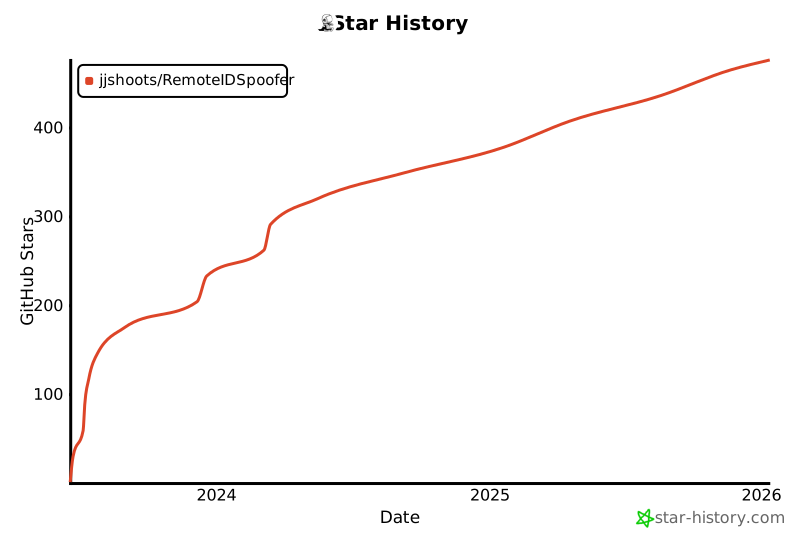](https://star-history.com/#jjshoots/RemoteIDSpoofer&Date)
|