 750b3a8e28
This adds a TLB to dcache, providing the ability to translate
addresses for loads and stores.  No protection mechanism has been
implemented yet.  The MSR_DR bit controls whether addresses are
translated through the TLB.

The TLB is a fixed-pagesize, set-associative cache.  Currently
the page size is 4kB and the TLB is 2-way set associative with 64
entries per set.

This implements the tlbie instruction.  RB bits 10 and 11 control
whether the whole TLB is invalidated (if either bit is 1) or just
a single entry corresponding to the effective page number in bits
12-63 of RB.

As an extension until we get a hardware page table walk, a tlbie
instruction with RB bits 9-11 set to 001 will load an entry into
the TLB.  The TLB entry value is in RS in the format of a radix PTE.

Currently there is no proper handling of TLB misses.  The load or
store will not be performed but no interrupt is generated.

In order to make timing at 100MHz on the Arty A7-100, we compare
the real address from each way of the TLB with the tag from each way
of the cache in parallel (requiring # TLB ways * # cache ways
comparators).  Then the result is selected based on which way hit in
the TLB.  That avoids a timing path going through the TLB EA
comparators, the multiplexer that selects the RA, and the cache tag
comparators.

The hack where addresses of the form 0xc------- are marked as
cache-inhibited is kept for now but restricted to real-mode accesses.

Signed-off-by: Paul Mackerras <paulus@ozlabs.org>

Microwatt
A tiny Open POWER ISA softcore written in VHDL 2008. It aims to be simple and easy to understand.
Simulation using ghdl
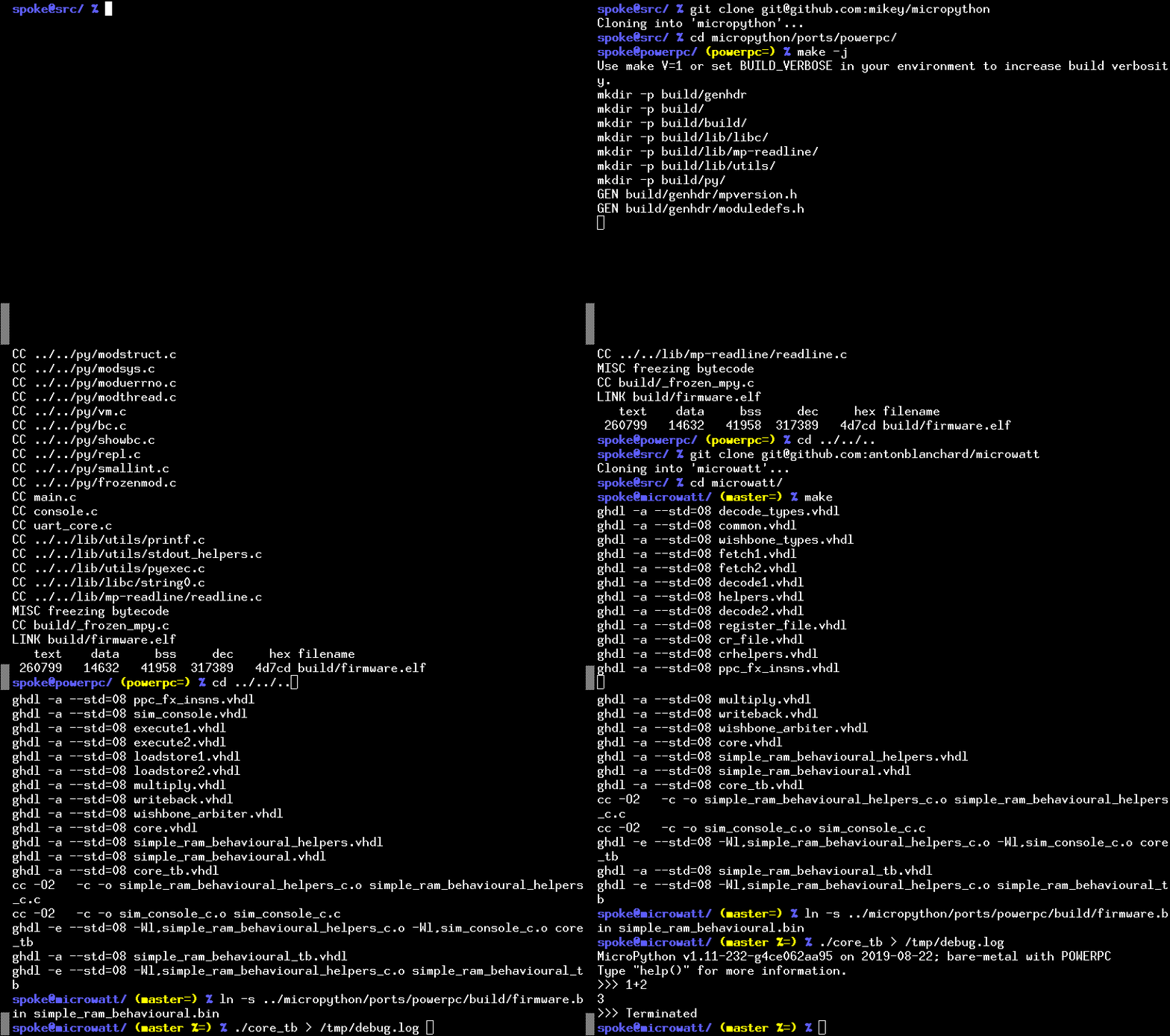
You can try out Microwatt/Micropython without hardware by using the ghdl simulator. If you want to build directly for a hardware target board, see below.
- Build micropython. If you aren't building on a ppc64le box you will need a cross compiler. If it isn't available on your distro grab the powerpc64le-power8 toolchain from https://toolchains.bootlin.com. You may need to set the CROSS_COMPILE environment variable to the prefix used for your cross compilers. The default is powerpc64le-linux-gnu-.
git clone https://github.com/micropython/micropython.git
cd micropython
cd ports/powerpc
make -j$(nproc)
cd ../../../
A prebuilt micropython image is also available in the micropython/ directory.
-
Microwatt uses ghdl for simulation. Either install this from your distro or build it. Microwatt requires ghdl to be built with the LLVM or gcc backend, which not all distros do (Fedora does, Debian/Ubuntu appears not to). ghdl with the LLVM backend is likely easier to build.
If building ghdl from scratch is too much for you, the microwatt Makefile supports using Docker or podman images. Read through the Makefile for details.
-
Next build microwatt:
git clone https://github.com/antonblanchard/microwatt
cd microwatt
make
- Link in the micropython image:
ln -s ../micropython/ports/powerpc/build/firmware.bin main_ram.bin
Or if you were using the pre-built image:
ln -s micropython/firmware.bin main_ram.bin
- Now run microwatt, sending debug output to /dev/null:
./core_tb > /dev/null
Synthesis on Xilinx FPGAs using Vivado
-
Install Vivado (I'm using the free 2019.1 webpack edition).
-
Setup Vivado paths:
source /opt/Xilinx/Vivado/2019.1/settings64.sh
- Install FuseSoC:
pip3 install --user -U fusesoc
Fedora users can get FuseSoC package via
sudo dnf copr enable sharkcz/danny
sudo dnf install fusesoc
- Create a working directory and point FuseSoC at microwatt:
mkdir microwatt-fusesoc
cd microwatt-fusesoc
fusesoc library add microwatt /path/to/microwatt/
- Build using FuseSoC. For hello world (Replace nexys_video with your FPGA board such as --target=arty_a7-100):
fusesoc run --target=nexys_video microwatt --memory_size=16384 --ram_init_file=/path/to/microwatt/fpga/hello_world.hex
You should then be able to see output via the serial port of the board (/dev/ttyUSB1, 115200 for example assuming standard clock speeds). There is a know bug where initial output may not be sent - try the reset (not programming button) on your board if you don't see anything.
- To build micropython (currently requires 1MB of BRAM eg an Artix-7 A200):
fusesoc run --target=nexys_video microwatt
Testing
- A simple test suite containing random execution test cases and a couple of micropython test cases can be run with:
make -j$(nproc) check
Issues
This is functional, but very simple. We still have quite a lot to do:
- There are a few instructions still to be implemented
- Need to add caches and bypassing (in progress)
- Need to add supervisor state (in progress)